Physical Address
304 North Cardinal St.
Dorchester Center, MA 02124
Physical Address
304 North Cardinal St.
Dorchester Center, MA 02124
Practical smart TV and streaming guides covering picture, sound, connections, apps, remotes and everyday troubleshooting.

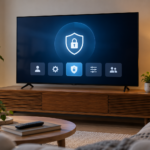
Smart TV privacy settings are spread across the television platform, individual applications and connected devices. Turning off one personalization option does not necessarily change all of them. A practical review identifies the accounts and optional features in use, explains the trade-offs and leaves the television easy to operate for the household.

Smart TV subtitles settings can exist in several places: the television's accessibility menu, the streaming application, an external player and the individual program. Changing one layer may not affect the others. Start by identifying where the video is playing and whether the desired caption or subtitle track is actually available for that title.

Smart TV game mode is intended to make the display respond more promptly to a game source, often by reducing some image processing. It does not increase a console's computing power or guarantee that every game runs at a higher frame rate. Understanding the separate roles of the game, console output and television helps you configure the system without chasing misleading numbers.

Choosing between a streaming stick and built-in TV apps is easier when you identify the limitation you want to fix. An external device can provide a different interface and app platform, but it cannot automatically repair poor Wi-Fi, a damaged screen or an unsupported audio chain. Compare the whole viewing setup rather than assuming that another device always improves it.

A smart TV remote not working can mean several different things: no buttons respond, only power works, voice search fails, or the television itself is frozen. Some remotes combine infrared and a wireless pairing connection, so partial operation can be a useful clue. Start by identifying exactly which controls work before resetting either device.

When smart TV apps keep crashing, the first useful distinction is whether one application fails or the whole interface becomes unstable. An app returning to the home screen, a frozen television and a video buffering inside an otherwise responsive app are different symptoms. Naming the failure accurately prevents unnecessary account resets and makes troubleshooting more focused.

Smart TV picture settings make more sense when you start with a familiar scene and a clear problem. An image that is too bright at night needs a different adjustment from one with artificial outlines or strange motion. Copying a complete set of numbers from another model can introduce new errors because controls and panel behavior differ.

HDMI ARC and eARC let a television send audio to a compatible soundbar or receiver through a designated HDMI connection. A normal HDMI picture connection does not automatically establish that return path. Reliable setup begins with the correct ports and compatible equipment, followed by a simple audio test before adding advanced formats.

A TV no HDMI signal message usually means the television is not receiving a usable signal from the selected input. It does not immediately prove that the display panel is broken. Work from the simplest connection outward, separating the source device, cable, intermediary equipment and television input before replacing anything.

Smart TV buffering is a symptom, not a diagnosis. The interruption can begin in the streaming service, the television app, the home wireless connection or the internet connection beyond the router. Testing one layer at a time prevents unnecessary resets and helps you decide whether the useful fix is local or outside your home.