Physical Address
304 North Cardinal St.
Dorchester Center, MA 02124
Physical Address
304 North Cardinal St.
Dorchester Center, MA 02124

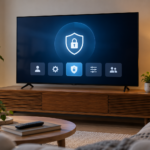
Smart TV privacy settings are spread across the television platform, individual applications and connected devices. Turning off one personalization option does not necessarily change all of them. A practical review identifies the accounts and optional features in use, explains the trade-offs and leaves the television easy to operate for the household.
Smart TV privacy settings are spread across the television platform, individual applications and connected devices. Turning off one personalization option does not necessarily change all of them. A practical review identifies the accounts and optional features in use, explains the trade-offs and leaves the television easy to operate for the household.
Start with the TV's own operating system and account, then list streaming applications, a connected streaming stick, game console and voice assistant if present. Each can have separate settings and data practices. The television's privacy menu does not automatically govern an external device connected through HDMI.
Check which household profiles are signed in and remove unfamiliar or obsolete ones through the supported process after understanding the effect. Do not remove the main account casually: some platforms can reset the device when the only account is removed. Read confirmation screens and keep access to account recovery methods before making disruptive changes.
Look for settings related to personalized recommendations, advertising, diagnostics and viewing information. The names vary by manufacturer and region. Read the description rather than assuming that every switch with privacy in its name has the same purpose. Decide whether the associated feature is useful enough for you to enable it.
Google's description of Google TV data handling lists several categories used for functionality, recommendations and other purposes. This illustrates why one broad statement such as the TV collects nothing would be misleading. Review the official information for your actual platform and the individual apps rather than relying on a generic checklist alone.
An apps-only or simplified home screen can reduce recommendations without changing all data settings. Google explicitly notes that its apps-only mode does not automatically change privacy settings such as location, and apps may still provide their own personalized recommendations. Treat interface simplification and data preferences as separate decisions.
After selecting a simpler interface, revisit the privacy menu and the relevant account controls. Verify the result by reading the saved setting, not by assuming that fewer recommendations mean less collection in every component. Also note any functions that become unavailable so that other household members understand the change.
Identify whether voice input comes from a microphone in the remote, the television or another connected device. Check the manufacturer's instructions for muting or disabling the relevant microphone and voice feature. A physical switch and an account-level voice setting may serve different purposes, so understand both if they are available.
Use a harmless phrase when testing voice behavior. Do not speak passwords, payment details or other sensitive information to see whether a microphone works. If you do not use voice control, disable the optional feature through supported settings where practical. Confirm that ordinary navigation remains usable with the remote afterward.
Review permissions for installed apps and remove applications you no longer use through the official interface. Consider whether an app needs the requested capability for the function you want. Avoid unofficial streaming applications that require broad access without a clear purpose. Install and update through the supported store.
Check account sessions and sign-out options within each service. Switching the television's profile may not sign out of an app that maintains its own account. If guests used a personal streaming account, confirm that it has been signed out when they leave. Do not assume closing the app or turning off the television ends the session.
Review supported purchase confirmation and profile controls if the television is shared. These can reduce accidental rentals or purchases, but they are not substitutes for protecting the main account. Keep authentication credentials private and use the provider's recommended account-security options.
Test the household workflow after changing controls. Make sure authorized viewers can still open their services and that an intended purchase requires the expected confirmation. Avoid setting a code that other people can easily read from a note attached to the television. Store recovery information in an appropriate secure place.
Install official security and system updates through the normal menus. A privacy review is incomplete if the device is left on unsupported or unmaintained software without understanding the implications. Check the manufacturer's support information for an older model and consider which connected functions remain necessary.
Do not disable the home network's security to solve an app connection problem. Diagnose compatibility through the device's supported guidance instead. If you no longer need the television's network features because an external player handles them, review the supported option to disconnect that TV connection while maintaining the functions you actually use.
Sign out and follow the manufacturer's reset procedure when transferring ownership. Check connected streaming devices separately; resetting the television does not erase an external stick or console. Remove the old device from account device lists where the provider recommends it, and confirm subscription billing independently if a service is no longer needed.
Keep the review manageable by recording the choices you made and revisiting them after a major update or a new app installation. The goal is an informed configuration with clear trade-offs. No single switch makes every connected service private, but a careful review can reduce unnecessary features and prevent accounts from remaining active where you did not intend them to.
Google TV: data handling. Features and menu names vary by model; follow the instructions for your exact device.